Troubleshooting: Windows security warning
When you run ActionCut-AI-Setup.exe for the first time, Windows may show a blue warning screen instead of starting the installer right away. This is expected, and it isn't a sign that anything is wrong with the software.
Windows Defender SmartScreen flags any application from a small or new developer that hasn't yet built up a large install history with Microsoft — regardless of whether the app is safe. ActionCut-AI is a one-person project, so it hits this exact situation. Here's how to get past it, and the proof that the file itself is clean.
How to continue past the warning
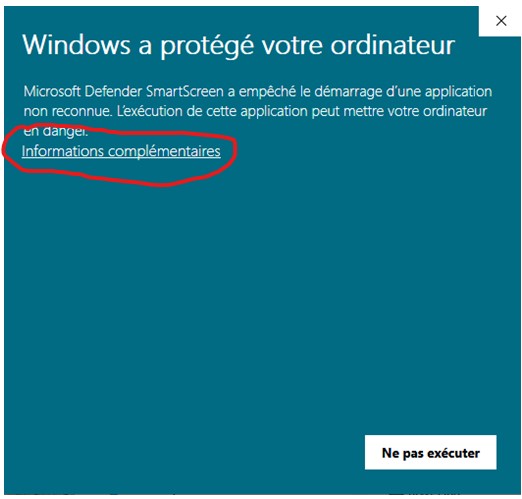
Click "More info" ("Informations complémentaires")
On the first screen, click the link circled below — this expands the dialog to show more options.
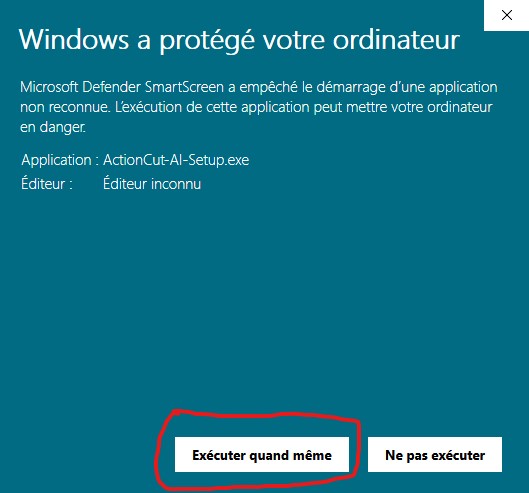
Click "Run anyway" ("Exécuter quand même")
The dialog now shows the app name and publisher, plus a new button — click it to proceed with the install.
Verified: the installer is clean
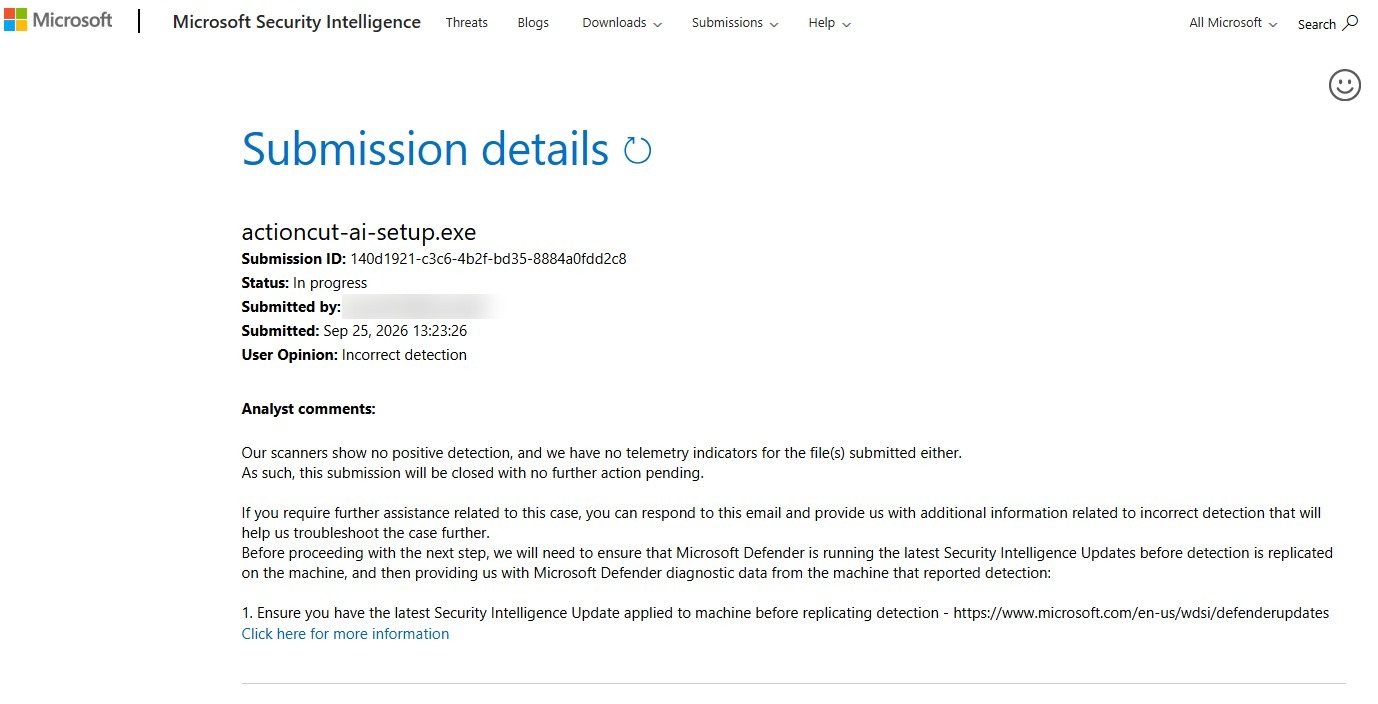
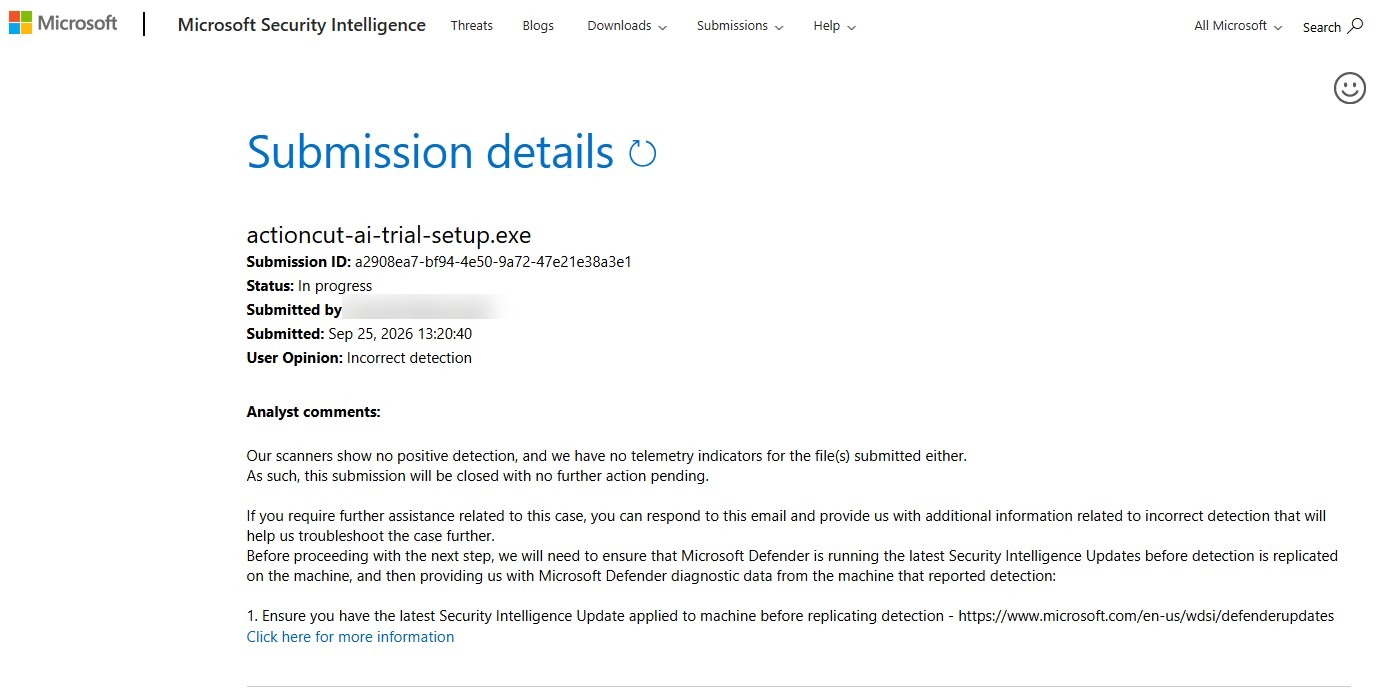
ActionCut-AI's setup files have been submitted directly to Microsoft for analysis. Microsoft's own scanners confirm no malware detection and no telemetry indicators for either file — see the official submission results below.
Still unsure, or running into a different issue? Reach out at actioncut-ai_support@genaidev4all.org and we'll help directly.